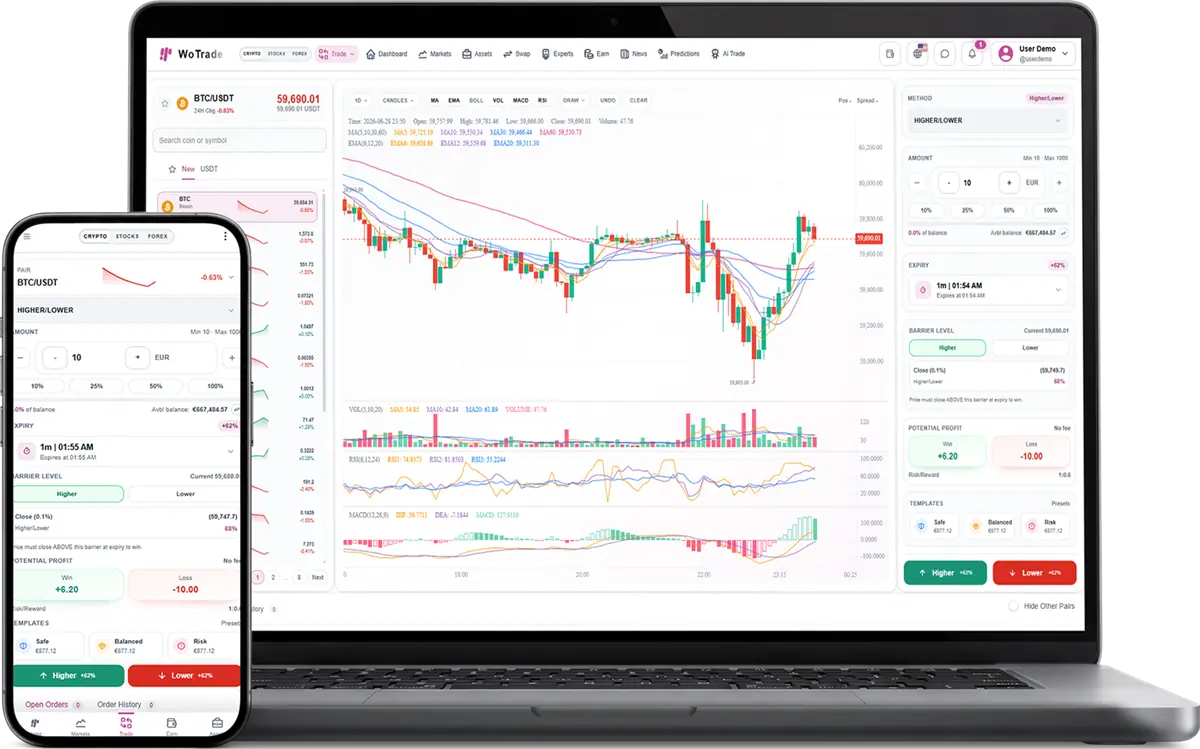
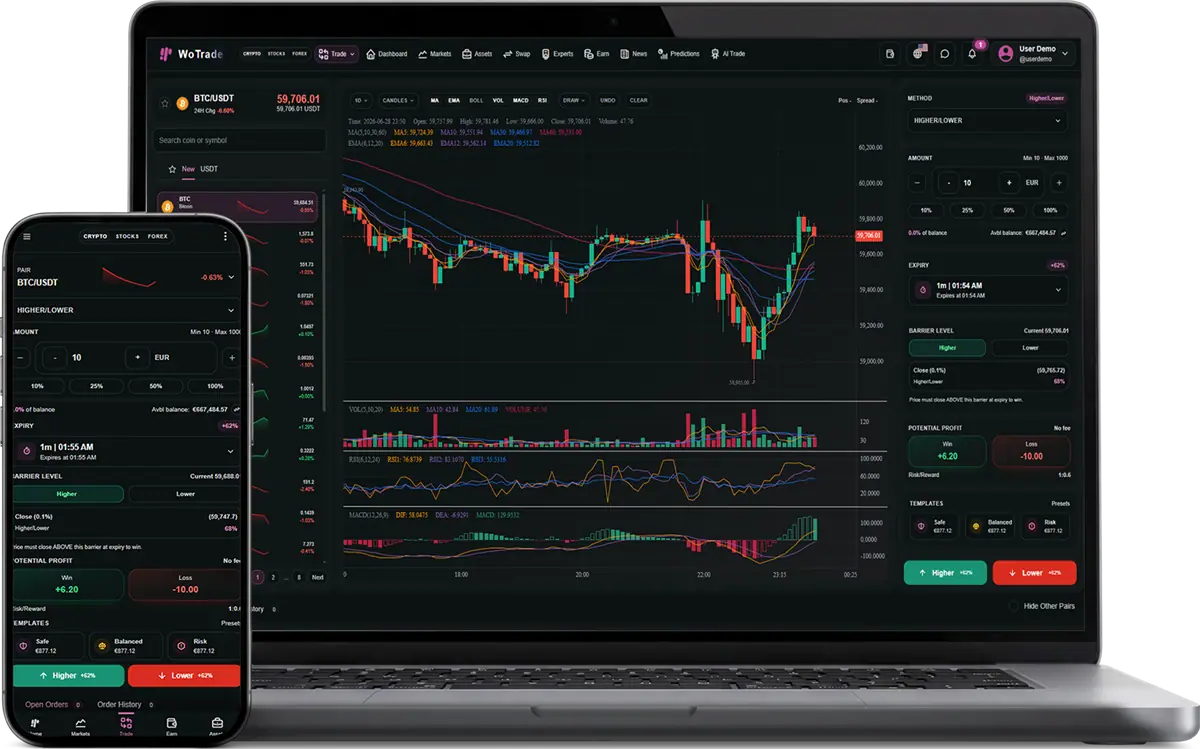
WoTrade is a Laravel 12 trading and investment platform for operating a modern online trading website. It supports cryptocurrency, forex, and stock markets with user accounts, trading interfaces, wallet management, deposits, withdrawals, KYC verification, customer support, and a complete administration panel.
Core Product Overview
WoTrade provides a ready-to-customize foundation for running a trading platform. Users can manage their profiles and wallets, view market data, place trades, track transactions, deposit and withdraw funds, complete KYC verification, and contact support through tickets or live chat.
Administrators can manage users, balances, transactions, deposits, withdrawals, markets, trading settings, KYC requirements, staff permissions, roles, website pages, languages, appearance, notifications, and activity logs.
The platform includes crypto spot trading, stock markets, forex markets, payment and wallet workflows, responsive user and admin dashboards, a guest website builder, localization, and an extensible plugin system. Optional modules can add futures trading, binary options, asset swaps, earn and staking plans, market news, predictions, AI trading tools, and expert-agent features.
Technology Stack
- Laravel 12 backend with PHP 8.2+ support
- Laravel Fortify authentication
- Laravel Socialite for Google and GitHub social login
- Blade templates for server-rendered admin, guest, and user interfaces
- Tailwind CSS 4 styling system
- Alpine.js interactive frontend behavior
- Vite asset pipeline
- ApexCharts for dashboard charts
- KLineCharts for trading/chart interfaces
- JSVectorMap for geographic/user distribution maps
- FullCalendar included for calendar-ready UI modules
- Flatpickr date/time inputs
- Swiper support for sliders/carousels
- Tabler Icons webfont throughout the interface
- Laravel migrations, seeders, Eloquent models, controllers, helpers, support classes, middleware, and Blade components
User Authentication and Account System
- User registration and login
- Password reset and forgot-password flow
- Email verification support
- Two email verification UI/method flows: clickable email verification link and one-time input verification code
- Email verification resend flow with throttling/cooldown behavior
- Two-factor authentication support through Fortify
- Two-factor challenge page
- Confirm password flow
- Google social login
- GitHub social login
- Social account profile completion flow
- Separate admin authentication guard and user authentication guard
- Admin login, registration toggle, password reset, email verification, and 2FA challenge pages
- Profile redirect that sends admins to admin profile and users to user settings
- Account deletion endpoints for both admin and user contexts
User Dashboard and Wallet Features
- Main authenticated user dashboard
- Portfolio and market overview widgets
- Live balance refresh endpoint
- Assets page
- User balance model with multiple balance buckets
- Available balance tracking
- Assets wallet tracking
- Crypto wallet tracking
- Fiat/forex wallet tracking
- Futures wallet tracking
- Binary options wallet tracking
- Agents wallet tracking
- Internal wallet transfer modal and endpoint
- Quick actions widget
- Account information widget
- Account status widget
- Location information widget
- Security widget
- Total balance widget
- Available balance widget
- Stocks value, crypto value, and forex value widgets
- Portfolio breakdown and market distribution widgets
- Market intelligence and top mover widgets
- Admin-configurable user dashboard layout
Market and Trading Features
- Crypto market pages
- Forex market pages
- Stocks market pages
- Guest/public live market price endpoint
- User live market price endpoint
- Admin live market price endpoint
- Trade selector page
- Market favorites
- Favorite toggle endpoint
- Buy/invest order flow
- Sell flow
- Order creation
- Order cancellation
- Order detail page
- Transaction history
- Trade transactions model
- Trade orders model
- User investments model
- Public transaction ID support
- Fee amount and gross amount tracking
- Market logo/cache tooling
- Crypto catalog support
- Binance market data support in portfolio snapshots
- Yahoo Finance data usage in prediction service
- Market provider configuration from admin
- Admin add/remove/toggle market symbols
- Admin bulk toggle and bulk remove market instruments
- Separate admin pages for stocks, cryptocurrencies, and forex
Trading Plugin Modules
- Crypto Market: cryptocurrency pages, feeds, and terminal entry points
- Forex Market: forex pages, feeds, pairs, and terminal entry points
- Stocks Market: stock pages, feeds, symbols, and terminal entry points
- Spot Trading: crypto spot terminal and spot execution flows
- Futures Trading: crypto futures terminal, live endpoint, order placement, position management, leverage/margin-style UI, and futures trade screens
- Binary Options: fixed-time up/down crypto contracts, live binary endpoint, pair pages, placement endpoint, payout controls, and binary option trade records
- Swap: asset swap terminal, quote endpoint, and execution flow
- Earn/Staking: earn plans, staking positions, asset options, user subscriptions, redemption, admin plan management, positions view, and payout processor
- AI Trade: AI trade dashboard, user AI preferences, strategy settings, live endpoint, execute-cycle endpoint, execute-top endpoint, signal notification, and auto-trade scheduled command
- Expert Agents: expert marketplace, agent list, agent profile pages, hire/redeem/report/review actions, agent profile management, portfolios, subscriptions, reviews, reports, client trade page, and agent chat
- News: market news page, dashboard news live endpoint, news feed service, and news widgets
- Predictions: prediction dashboard, live prediction endpoint, prediction service, sorting, filtering, and market prediction data
Deposits, Withdrawals, and Payments
- User deposit page
- User withdrawal page
- Crypto deposit records
- Crypto withdrawal records
- Manual deposit methods
- Manual withdrawal methods
- Bank deposit page
- Bank withdrawal page
- Deposit QR page
- Stripe deposit flow
- Stripe checkout/session creation
- Stripe webhook endpoint
- NOWPayments deposit flow
- NOWPayments payment creation page
- NOWPayments webhook/IPN endpoint
- Payment provider transaction model
- Marketplace purchase payment support through Stripe and NOWPayments
- Payment direction tracking for deposits and marketplace purchases
- Admin deposit request approval
- Admin deposit request rejection
- Admin withdrawal request approval
- Admin withdrawal request rejection
- Admin crypto deposit method management
- Admin crypto withdrawal method management
- Admin automatic provider settings for Stripe and NOWPayments
- Admin manual method create, update, delete
- Admin seed sample methods
- Admin bulk toggle methods
- Admin bulk delete methods
- Configurable payment provider credentials through settings/helper classes
KYC, Compliance, and Access Rules
- User KYC submission page
- KYC fields on user accounts
- KYC status management
- KYC submitted timestamp tracking
- Admin KYC request queue
- Admin KYC document preview route
- Admin KYC approval/rejection via user management
- KYC permissions page
- Route-level KYC exemptions
- KYC form builder
- Configurable KYC form fields
- KYC logs page
- KYC middleware that can block protected routes until verification is complete
- Optional KYC middleware support for routes where KYC can be required or bypassed
- KYC exemptions for account, support, marketplace, wallet transfer, AI, earn, agents, news, predictions, and trading-related routes
Security, Blacklist, and Audit Features
- Admin IP management controller
- IP blacklist/ban system
- IP unban system
- Country blacklist/ban system
- Country unban system
- Banned IP model
- Banned country model
- User disabled account support
- Admin user disable toggle
- Two-factor authentication removal by permitted admin
- Activity logging middleware
- User activity model
- Admin activity log list
- Admin activity detail page
- Bulk activity cleanup
- Actor context, event type, request metadata, IP/device style audit support
- Security dashboard widget showing bans, 2FA, disabled accounts, and safety signals
- Permission middleware for protected admin features
- Plugin enabled middleware
- Admin role middleware
- Email verified optional middleware
- Onboarding completion middleware
Admin Command Center
- Configurable admin route prefix
- Admin dashboard
- Dashboard documentation page
- Admin docs index and module docs pages
- Global admin search index
- Admin profile page
- Admin notifications page
- Mark one notification as read
- Mark all notifications as read
- Customizable admin dashboard layout
- Drag-and-drop dashboard widgets
- Widget width controls
- Widget height controls
- Hide/show widgets
- Save dashboard layout per user
- Save dashboard layout per role
- Dashboard widget visibility by role
- Admin dashboard reset behavior
- Operational queue widget
- Growth, engagement, funding, trading, support, KYC, security, wallet, and activity widgets
Admin Dashboard Widgets
- Total users
- Verified users
- Unverified users
- Admin users
- User distribution
- Monthly users with drill-down by day
- Users by country
- Sessions by device
- Sessions by OS
- Sessions by browser
- KYC overview
- Funding overview
- Trading overview
- Support overview
- Activity pulse
- Recent users
- Agents overview
- Ops queue
- AI trading overview
- Earn overview
- Engagement overview
- User growth
- Trade volume
- Wallet balances
- Security overview
- Recent trades
User and Staff Management
- Admin users list
- User edit page
- Update user profile
- Update user password
- Update user balance
- Mark email verified
- Mark email unverified
- Send verification email
- Update KYC status
- Disable or enable user account
- Assign roles to users
- Delete user
- Remove user two-factor authentication
- Impersonate user
- Stop impersonating
- Send user notification
- Send custom email to user
- Staff list
- Create staff
- Edit staff
- Update staff
- Delete staff
- Role list
- Create role
- Edit role
- Delete role
- Permission assignment panel
- Seed/sync permissions support
Email and Notification System
- User notifications
- Admin notifications
- Live user notification polling endpoint
- Notification dropdown components
- Email verification with link method
- Email verification with input-code method
- Email verification code controller for users
- Email verification code controller for admins
- Resend verification email
- Password reset emails
- Welcome email template support
- Custom user notification mail class
- Admin custom email sender
- Settings test email flow
- SMTP configuration UI
- Mail driver settings
- Mail host, port, username, password, encryption/scheme settings
- Support email and sender identity settings
- Email template settings for transactional email wording
- Email event tracking inside transactions/activity views
Support Desk
- User support landing page
- Support ticket creation
- Support ticket detail page
- User ticket reply
- User ticket close action
- Support ticket category support
- Support ticket priority support
- Admin support ticket list
- Admin ticket detail thread
- Admin ticket reply
- Admin ticket status update
- User live support chat
- Start support chat thread
- Support chat live polling endpoint
- Support chat thread detail
- Send support chat message
- Support chat feedback
- Admin live chat thread list
- Admin live chat polling endpoint
- Admin thread view
- Admin support chat reply
- Support contact settings such as email, phone, WhatsApp, Telegram, address, hours, and response time
Marketplace and Sales System
- Marketplace project model
- Marketplace project public page
- Marketplace project admin list
- Create marketplace project
- Edit marketplace project
- Delete marketplace project
- Project title, slug, currency, sort order, status, featured flag
- Short description field
- Full HTML description field
- Safe HTML rendering on public product pages
- Project features list
- Project tags
- Light theme cover image
- Dark theme cover image
- Light theme gallery images
- Dark theme gallery images
- Live demo URL
- Source code URL
- Documentation URL
- Pricing plans with label, price, billing months, and discount percent
- Pricing offers with title, discount type, value, interval, start date, and end date
- Project plugins with custom price and billing type
- Marketplace checkout page
- Project plan selection
- Plugin selection during checkout
- Domain search during checkout
- Domain TLD selector
- Domain availability API endpoint
- Stripe marketplace checkout
- NOWPayments marketplace checkout
- Marketplace project purchase model
- Marketplace subscriber plugins model
- Admin subscribers list
- Admin subscriber purchase detail page
- Grant subscriber plugin
- Revoke subscriber plugin
- Track purchased project, plan, period, expiry, plugin selections, and purchase history
Public Website and CMS Builder
- Public homepage
- Clean guest page URLs
- Guest page controller
- Guest page model
- Guest page section model
- Admin guest page dashboard
- Create guest page
- Edit guest page
- Delete guest page
- Reusable guest section library
- Create reusable section
- Edit reusable section
- Delete reusable section
- Attach section from library to page
- Reorder page sections
- Header navigation manager
- Footer navigation manager
- Hero section
- Features section
- Markets section
- Pricing section
- Stats section
- Steps section
- Testimonials section
- FAQ section
- CTA section
- Contact section
- Ticker section
- Content section
- Fallback section
- Projects showcase section
- Guest layout and guest theme settings
Appearance and UI Customization
- Admin appearance settings
- User appearance settings
- Guest appearance settings
- Theme controls
- Brand/logo support
- Favicon/logo SVG assets
- Layout width settings
- Radius settings
- Navigation appearance settings
- Breadcrumb visibility settings
- Dark and light theme support
- Reusable admin UI components
- Reusable user UI components
- Reusable guest components
- Buttons, badges, alerts, avatars, modals, offcanvas, dropdowns, tables, loaders, theme toggles, language switchers, notification dropdowns, chat dropdowns, and mobile tabbar
- Responsive modal-to-offcanvas behavior on mobile
- Mobile bottom drawer style for modal forms
- Touch-friendly mobile close controls
- Dynamic viewport height support for mobile browsers
- Responsive admin sidebar/header
- Responsive user sidebar/header
- Mobile tab bar for user navigation
Languages and Localization
- Locale switch route
- Locale middleware
- Translation manager
- Translation scanner
- Admin language list
- Create language/locale
- Edit locale details
- Edit translation keys
- Update translations
- Sync translations from views
- HTML translation middleware support
- Guest content translation columns
- Admin translations
- User translations
- Auth translations
- Included language JSON files for English, German, French, Italian, and Albanian
- German guest page and section translations seeded by migration
Settings and Configuration
- General system settings
- Email settings
- Authentication settings
- Search toggle
- Language toggle
- Admin registration toggle
- User auth settings
- Email verification requirements
- Email verification method selection
- Social login settings
- SMTP settings
- Support contact settings
- Payment provider settings
- Plugin/add-on management page
- Enable/disable feature plugins
- Core/free/paid plugin metadata
- Plugin license verifier support
- Plugin catalog with required path checks
- Dynamic loading of plugin web, user, and admin routes
Plugin Architecture
- Plugin folders under the plugins directory
- Each plugin includes plugin.json metadata
- Plugin category support: markets, trading methods, platform features
- Installed/enabled/core/tier/price/currency metadata
- Paid plugins with license requirement fields
- Plugin route files for admin, user, and web routes
- Plugin controllers
- Plugin models
- Plugin migrations
- Plugin views and resources
- Plugin assets CSS and JavaScript
- Plugin helper classes
- Admin plugin/add-ons screen
- Legacy setting compatibility keys
Automation and Console Commands
- Scheduled earn position processor every minute
- Scheduled AI auto-trade command every minute
- Daily user PnL snapshot at 00:10
- Cache market logos command
- Process earn positions command
- Run AI auto trade command
- Setup admin users command
- Snapshot user daily PnL command
- Sync roles to pivot table command
- Sync literal translations command
- Laravel queue/listen support in composer dev script
- Laravel Pail log watcher support in composer dev script
Database and Models
- Users, profiles, roles, permissions, and role-user pivot
- Navigation groups and navigation items
- Notifications
- App settings
- Appearance settings
- Email verification codes
- Banned IPs and banned countries
- User activities
- Guest pages and guest page sections
- Dashboard layouts
- User balances
- Crypto deposits and crypto withdrawals
- Payment provider transactions
- Support tickets, support ticket messages, support chat threads, and support chat messages
- Marketplace projects, marketplace purchases, and subscriber plugin grants
- Tenants and tenant relationship fields for SaaS-style ownership
- Included SQL exports for database backup/demo delivery
Buyer Value
WoTrade is not just a static template. It is a large, working Laravel application with real database models, admin workflows, user workflows, payment integrations, marketplace checkout logic, CMS pages, translations, plugin loading, compliance controls, support operations, and responsive UI components. It gives a buyer a serious starting point for a trading SaaS, investment dashboard, digital product marketplace, or white-label financial platform.